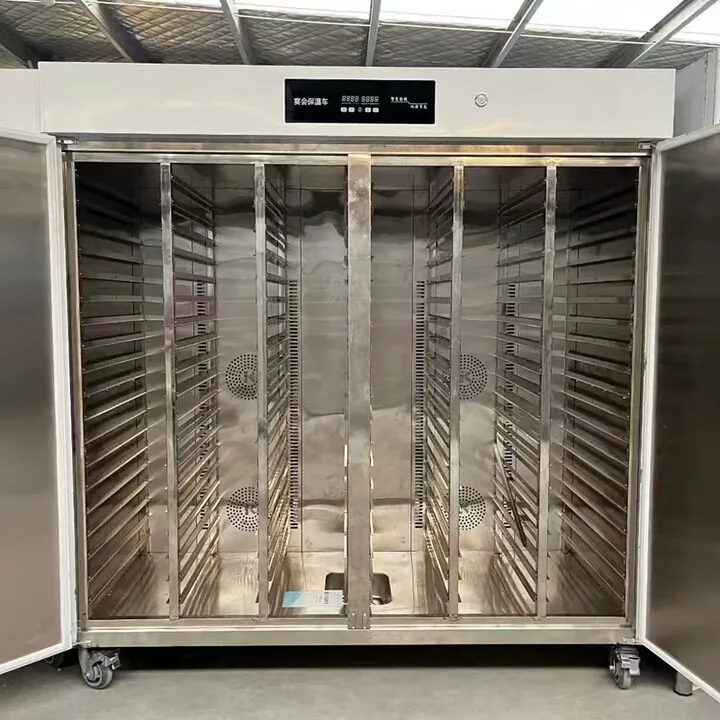
Back-of-house automation has moved quickly these past two years — cooking robots, rice lines and dishwashers have taken a large share of the labour out of the kitchen. But plenty of sites found after the refit that the bottleneck had simply moved to the front of house, at the two closing points: the pass, and the till. Heated pickup lockers and self-checkout counters address exactly those two.
Heated pickup lockers and self-checkout counters: is front-of-house equipment worth installing?
Back-of-house automation has moved quickly these past two years: cooking robots, rice lines and dishwashers have taken a large share of the labour out of the kitchen. But plenty of sites found after the refit that the bottleneck had simply relocated to two closing points at the front of house. One is the pass: the food is ready but cannot get out, orders crowd together, and the wrong bag gets taken. The other is the till: the queue reaches the door, and paying takes longer than eating. Heated pickup lockers and self-checkout counters exist to solve those two closing points. The unit investment in this equipment is modest and the effect shows up quickly, but not every site should install it. This article works the numbers through so you can judge for yourself.
Heated pickup lockers: turning people looking for food into food waiting for people
The service peak in fast food and canteens has a common picture: a ring of people around the pass, order numbers shouted, finished meals stacked on the counter slowly going cold, riders chasing orders and customers taking the wrong bag — a few lost orders and a few bad reviews a day, and nobody can work out what that costs. The logic of a heated pickup locker is that the kitchen finishes a portion, scans it into a compartment, and the customer or rider opens the matching compartment with their pickup code. At the peak nobody crowds the window any more, and the pass changes from a scrum into a silent handover.
Before installing lockers, check whether three scenarios fit you. First, fast-food outlets with a high delivery share: riders scan and collect at the store, so the counter is no longer blocked by riders — this scenario pays back fastest, and plenty of stores see rider complaints drop to zero in the first month. Second, the self-collection area of canteens and contract catering: packed meals go into the locker to stay hot, staff collect on the way out after their shift, wrong collections fall and the queue disperses, taking a large load off the service window. Third, the forward collection points in office buildings and business parks: the locker sits downstairs, the kitchen cooks upstairs and sends it down, one locker stands in for one handover post, and it also solves the problem of keeping food hot when the food arrives before the person does.
In choosing a locker, watch six things. Compartment count and size: they have to match your standard service ware, so delivery bags and meal boxes have to fit — compartments that are too small are a common mistake. Holding method and temperature: most commercial lockers hold between 60 and 70 degrees Celsius, keeping food from going cold or dry for 40 minutes, and this has to be measured with real food, not believed off a brochure. Humidity control: the great fear of long holding is food being dried out by the enclosure, and lockers with humidity control are a markedly better experience — rice and wheat products are the most humidity-sensitive. Compartment hygiene: whether the compartments can be taken out and washed, whether there is a disinfection function — a food hygiene inspection has to be passed, and a locker that harbours dirt inside is a hidden hazard. System integration: the locker has to connect to the order display, the mini-program and the POS, so ask plainly whether the integration is free or charged per interface — this is the item most often missing from a quotation. Failure fallback: whether there is an emergency unlocking method when a compartment will not open or the power fails. Do not lock a customer's meal inside the locker.
Self-checkout counters: squeezing the checkout time from a minute to a few seconds
Pick-and-choose fast food, canteens and weigh-and-pay restaurants are the home ground of the self-checkout counter. The mainstream AI vision checkout counter works by putting the tray down on the surface, where the cameras recognise the dishes and price them automatically — the whole process takes seconds, no staff member has to key in item after item, dishes that cannot be recognised fall back to an assisted lane, and the customer does not stand waiting. The cashier role looks simple, but at the peak it is one person per queue, with mischarges, missed items and walk-outs all wrapped up inside it.
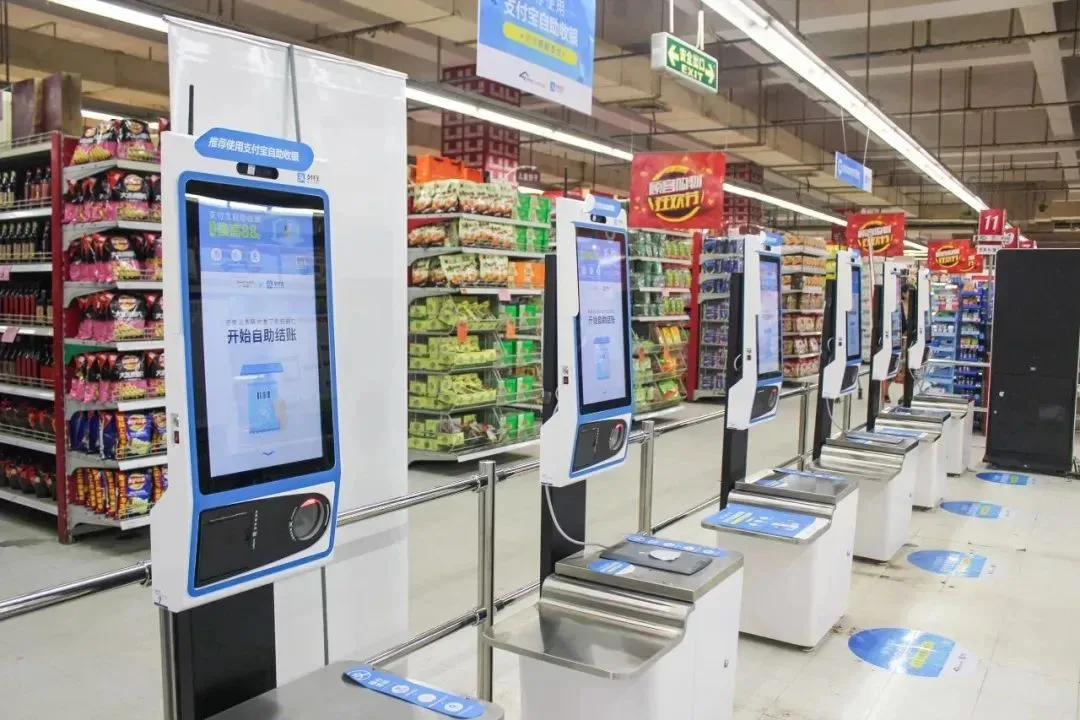
Installing a self-checkout counter comes down to three sets of numbers. Labour: a cashier post costs tens of thousands a year in wages and social contributions, and a self-checkout counter generally does not remove the whole post — someone still has to watch it at the peak — but it can compress two cashier posts into one, or free the cashier to cover service and pack delivery orders: the same headcount doing different work. Throughput: queue times shorten visibly and table turns speed up, and one or two extra turns at lunch is hard revenue; count the extra turns in and the payback shortens considerably. Missed items: pick-and-choose fast food charges by portion and relies on the cashier remembering dishes by eye, so at the peak missed and mis-keyed items are hard to avoid; AI recognition drives the miss rate down, and for anything it cannot recognise there is camera evidence, so disputes have something to refer to.
In choosing checkout equipment, look at four things. Coverage of the recognition library: whether every dish in your store can be recognised, how long it takes to add a new dish to the library and whether that costs extra — this is the most critical point, because a counter that cannot recognise everything runs the assisted lane every day, which is as good as not buying it. Recognition speed and accuracy: require a live test with your own real dishes, and do not believe the numbers in a brochure. Offline fallback: whether the counter can keep taking payment when the network drops, and whether orders are stored locally or the thing simply dies — equipment that dies the moment the network drops is not acceptable. Data integration: the linkage to membership, payment, the kitchen display and the pickup locker, so that checkout data can flow back to kitchen scheduling and forward to the order display. A counter whose data does not flow is an information island: it solves the queue and not the management.
Which sites should not install this yet
Two types of site should hold off. Sites with a very small daily order count, where neither the pass nor the till queues at all: installed equipment just stands there, and idle equipment looks worse than no equipment — solve whether you have customers first, then talk about efficiency. High-ticket restaurants built on table service: what the customer wants is the service experience, and self-checkout actually lowers the tone, so the front-of-house automation for these sites is ordering tablets and serving robots, not a checkout counter. Equipment serves the bottleneck: no bottleneck, no equipment. Keep that order firmly in mind.
A recommended pilot sequence
The unit investment in front-of-house closing equipment is modest, so pilot first and roll out later. Pick the site where the peak is most congested, install either the pickup locker or the self-checkout counter first, and run it for a month looking at the data: peak queue times, wrong-collection complaints, and changes in staffing. Once the data has genuinely improved, push it to the other sites. Do not fill every store at once, and do not expect the equipment to be a permanent fix once installed. The value of closing equipment lies in the data, not in the quantity — speak with data and both the store manager and the owner will accept it.
The content of this article is a reference for equipment selection. Specific figures are governed by the manufacturer's official parameters and on-site verification.